Settings
UI (User Interface)
| Setting | Options | Effect |
|---|---|---|
| Navigation | Top or Left | Where the navigation menu sits. |
| Theme | Light or Dark | The interface colour theme. |
| Language | English or Traditional Chinese | Changes the interface language without reloading. |
Open Settings → UI, make the change, and the page shows Saved.—it applies immediately and survives a refresh or a new sign-in.
Two people can use different languages and layouts on the same device without affecting each other. User data—filenames, Task Markdown, Logs, Sessions, and Outputs—is never translated automatically.
Token & Task Run History
An Administrator chooses how long token history and completed Task Run detail are kept:
| Option | Retention |
|---|---|
| Keep 1 day | 1 day |
| Keep 7 days | 7 days |
| Keep 30 days | 30 days |
| Keep forever | Nothing is deleted automatically |
View: Retention setting
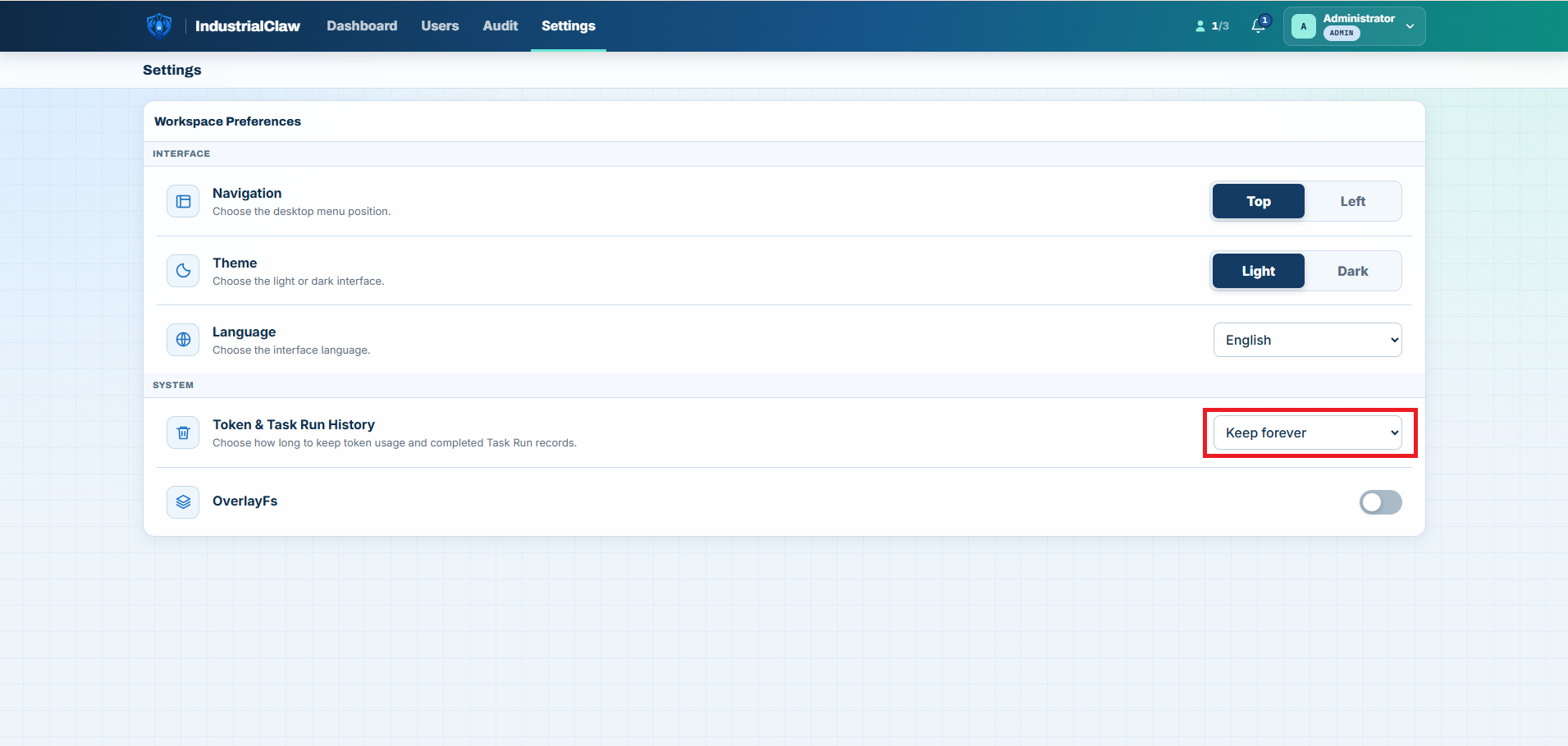
Choosing a finite period permanently deletes older detail. The Task row, its status, times, and summary stay; the expired detail cannot be recovered. Download anything that has to outlive the period you pick.
OverlayFS write protection
A device on a plant floor is installed once and then left alone for months. OverlayFS keeps it that way: with write protection on, the whole root filesystem is mounted read-only under a temporary layer, so anything written to it—a package installed by hand, an edited config, a file a Skill dropped outside its workspace—is gone at the next boot and the device comes back exactly as it was validated.
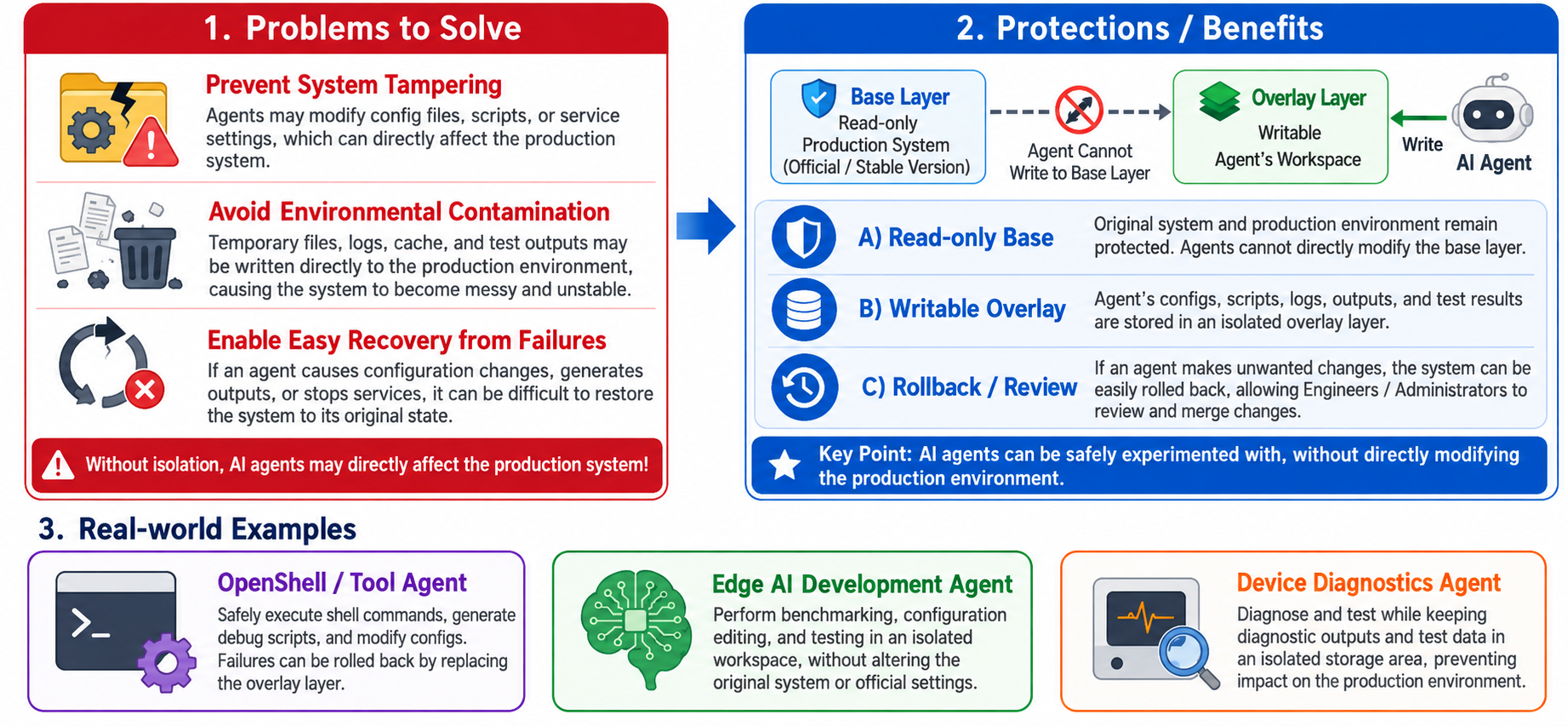
A few directories are deliberately left out of that, because they hold the work itself rather than the system. Everything outside this list reverts on reboot:
Path under /opt/Advantech/Agentic/app/openclaw/.openclaw | What it holds |
|---|---|
shared/ | The platform database, Task Run Logs, Sessions, and run artifacts |
agents/ | The installed Agents' registry |
workspace/skills/ai-agent-control-dashboard/.private/ | control.db: accounts, sessions, settings, and Audit |
workspace-<agent>/outputs/ and workspace-<agent>/materials/ | Each Agent's Outputs and uploaded Materials |
The rest of an Agent's workspace—TOOLS.md, skills/, and tasks/—is restored from the installed package on every boot, which is why importing an Agent or creating a Task definition is blocked while protection is on.
Only an Administrator can switch it, and switching it reboots the device.
- Confirm no Task has the status
running. If one does, the request is refused outright—no reboot happens. - Open Settings → System → OverlayFs and change the switch.
- Read the reboot warning and enter the device's operating-system password.
- Confirm. The device reboots immediately, and services come back on their own.
- Sign in again and check the header shows
OverlayFs OnorOverlayFs Off.
View: OverlayFS setting
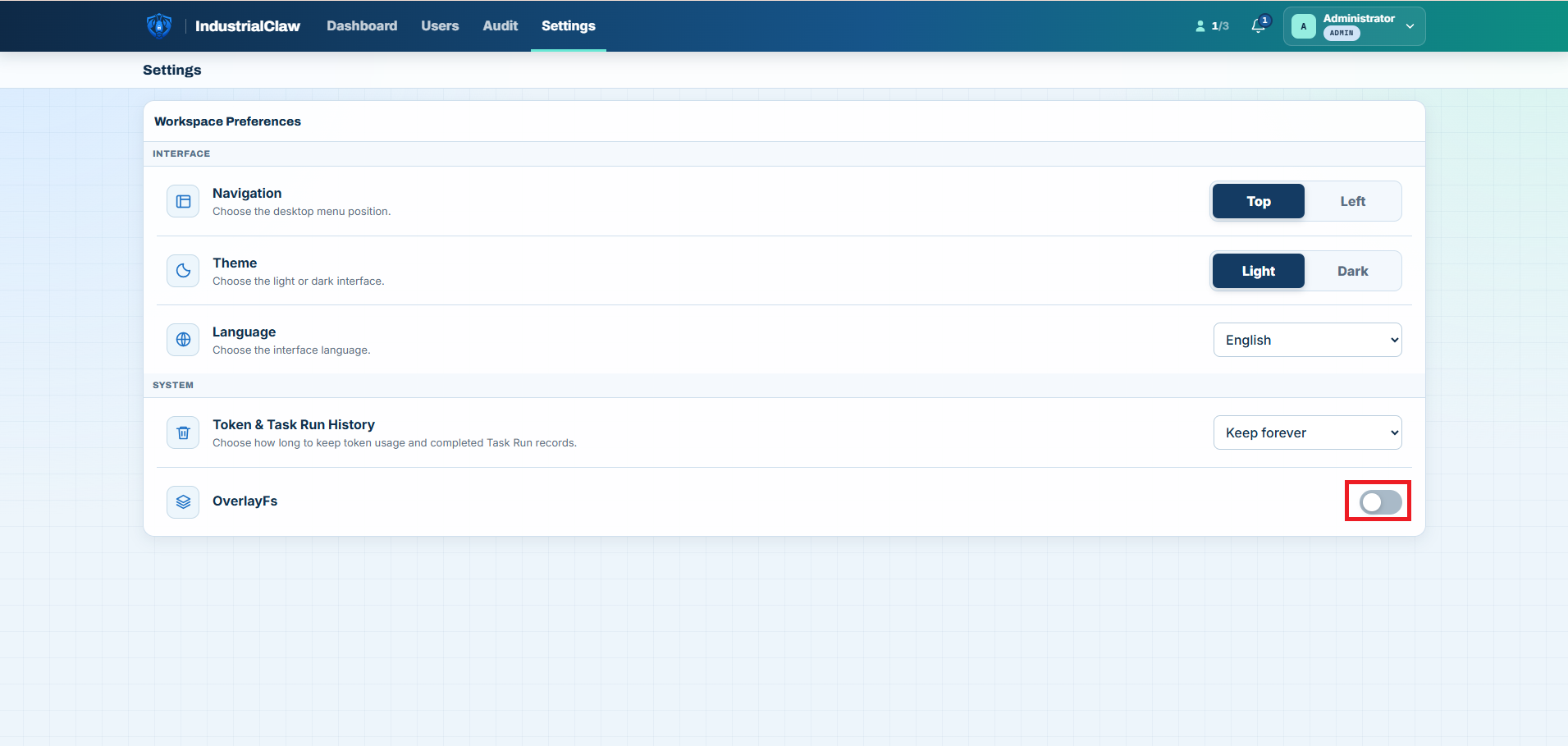
While it is on, Tasks start and run normally and Logs, Sessions, and Outputs stay readable—but persistent changes are blocked: importing or updating an Agent, uploading Materials, and creating or deleting a Task definition. Turning it off also requires a reboot.
Related documentation
- Results and Audit — the history this retention setting governs
- Agents — what OverlayFS blocks while it is on
- Audit Event Reference — what a retention change or an OverlayFS switch records