Results and Audit
Open a run
Under Task Runs, click the empty part of a row—not its STOP button. The detail dialog has three tabs:
| Tab | What it holds | What to look for |
|---|---|---|
| Log | The last 400 lifecycle, round, step, and error records | The first step that failed, and its original error |
| Session | The USER, ASSIST, TOOL, and RESULT messages exchanged with the model | What the model was told, what it called, and what came back |
| Outputs | The files the Task declared | That each file exists, and download it |
View: Task finished
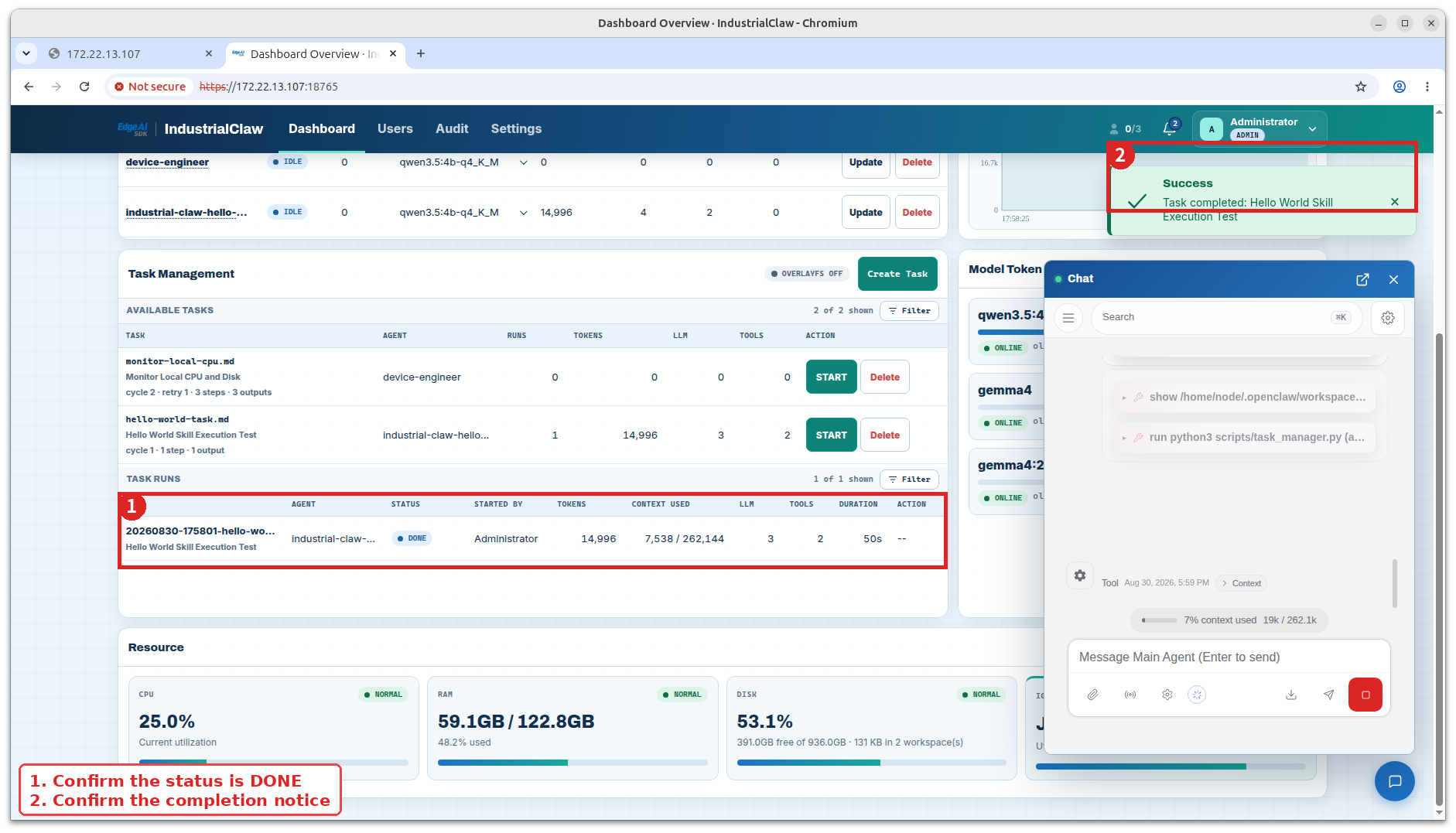
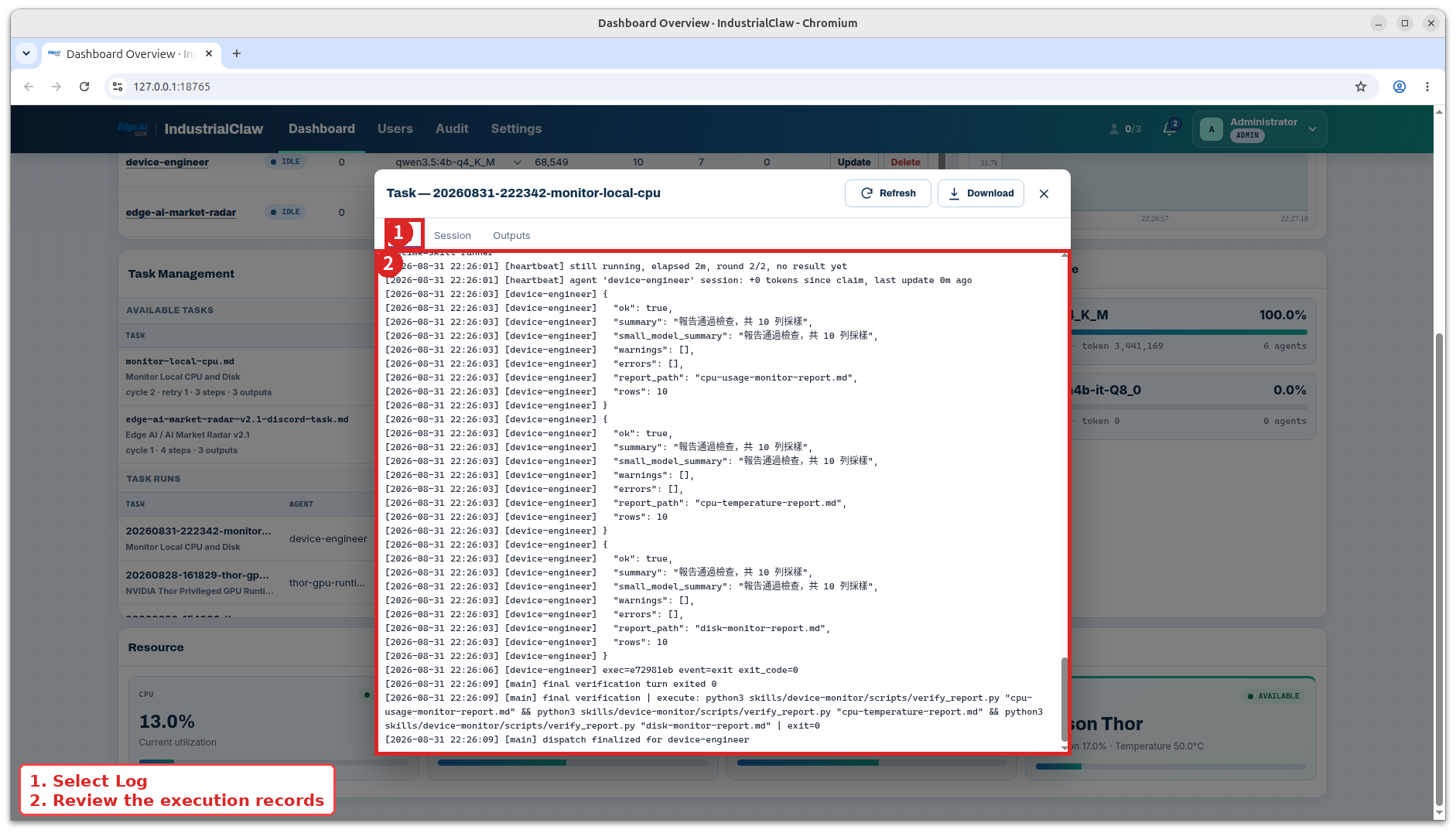
The Log tab
The Task ID, Agent, and status; the start and end of each round; each step's command, its check, its exit code, and any retries; the Agent starting up, being dispatched, timing out, or being stopped; and the raw output and errors from each Skill.
View: Run log
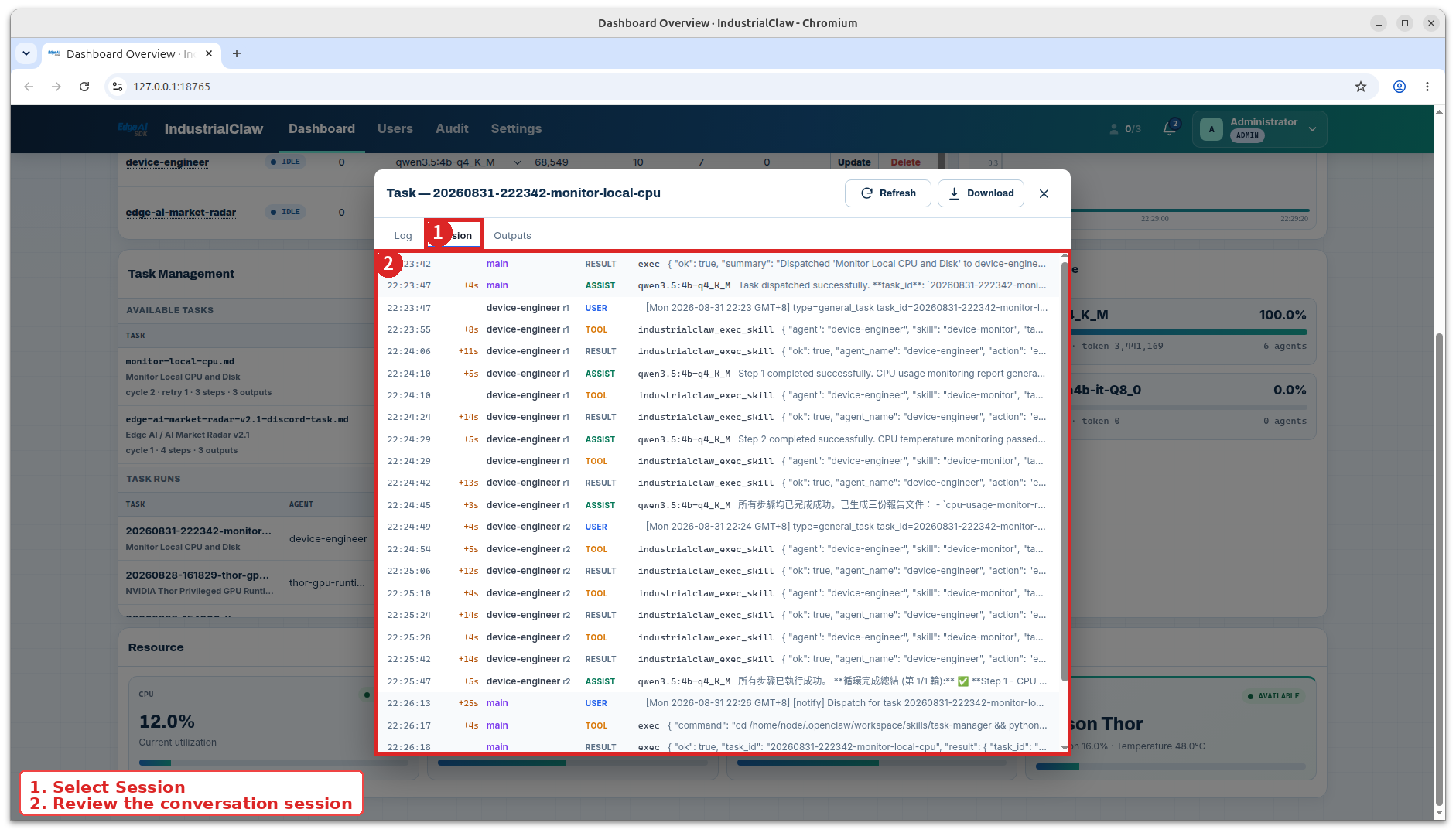
The Session tab
USER is the instruction the Agent received, ASSIST is the model's reply, TOOL is what the model chose to call and with what, and RESULT is what came back. In a multi-cycle Task, r1, r2 and so on mark the rounds.
View: Run session
Completion criteria
A Task reaches done only when both are true:
- Final Verification passed.
- Every declared output exists as a real file.
View: Outputs
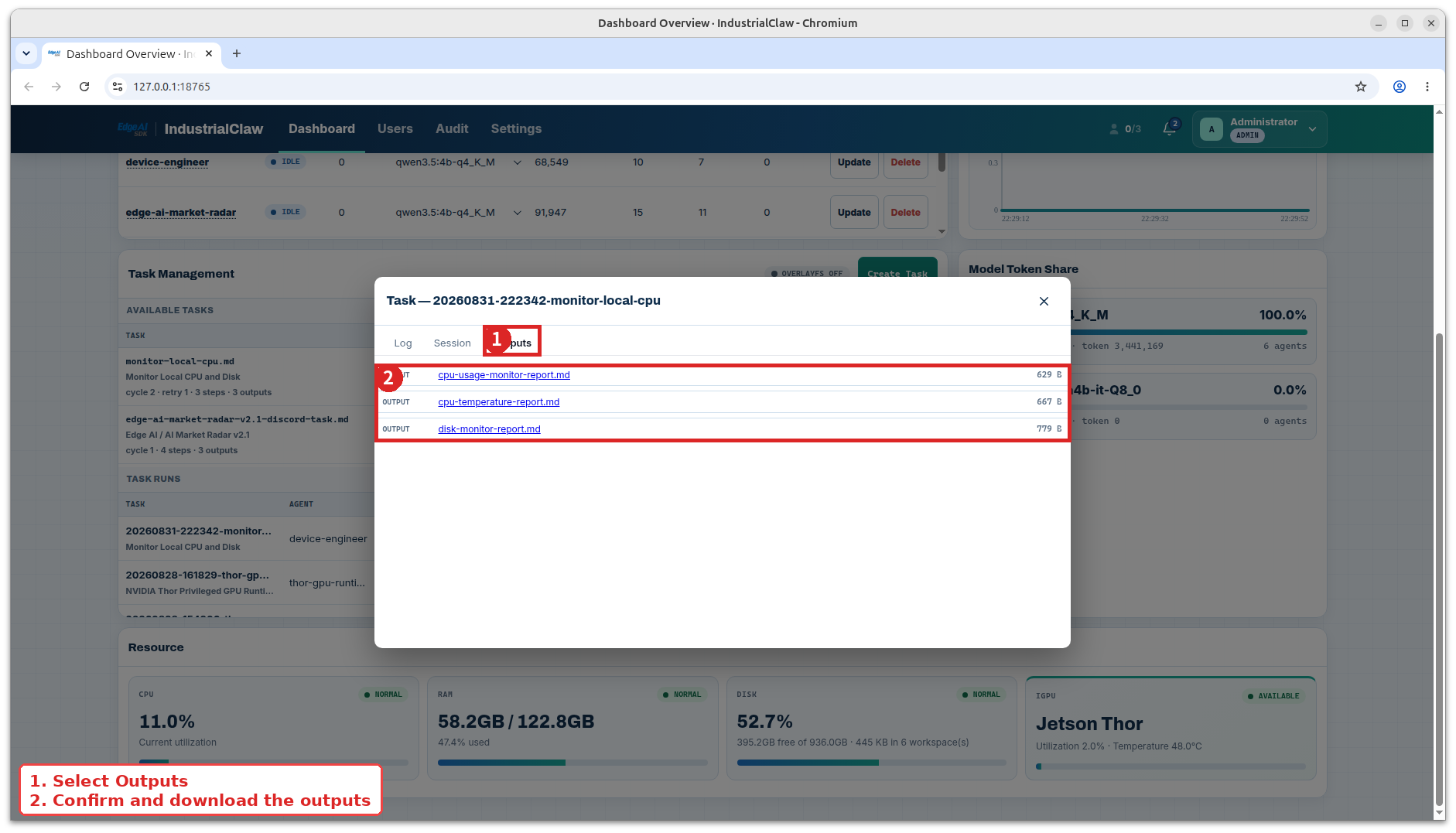
The platform verifies those files; it never creates, copies, or moves them. An empty file passes an existence check, so if the content matters, the Task itself has to check it.
Before you use an output:
- Confirm it belongs to the run you think it does.
- Confirm it covers the right time range, device, product, or case.
- Check its conclusions against the source data.
- If it has to outlive the device's retention period, download it now.
Failed runs
Start from the first failed step in the Log. Everything after it is usually a consequence. Four things are worth checking before escalating:
- The input files were uploaded and their names match what the Task declares.
- The Agent is using the model this Task expects.
- The systems the Skill talks to are reachable.
- That Agent was not already busy with another Task.
A transient service or network problem is worth one retry. If it fails the same way again, pass the Task ID, the Agent name, and the first error to whoever owns the Agent.
Do not repeatedly retry a Task that can change device state, production parameters, or business records.
Audit
Only Administrators can open Audit. Filter by time range, user, role, event type, and result. The user filter matches account ID and display name as a substring, so searching sys finds the System events that have no operator behind them.
View: Audit
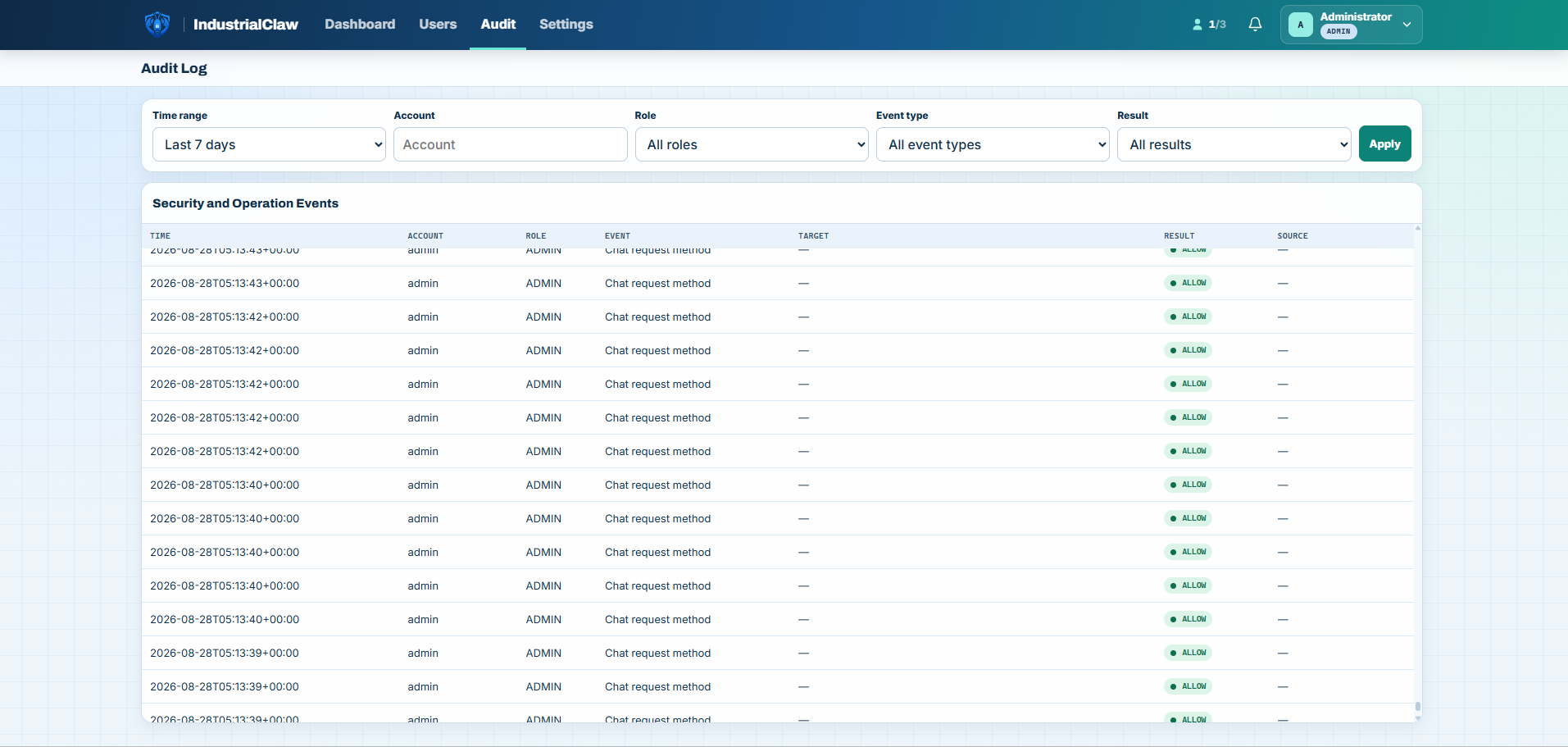
Frequently used groups—the full catalog of all 42 event types, their triggers, and every reason_code is in the Audit Event Reference:
| Group | Common events |
|---|---|
| Sign-in and session | Signed in, Signed out, Session ended, Password changed |
| Accounts | Account created, updated, deleted; Invitation email sent |
| Permissions | Agent access granted, revoked, Access denied |
| Agent and workspace | Agent imported, updated, removed; Agent model changed; Material uploaded |
| Task | Task created, started, stopped, deleted |
| Settings | Preferences updated, Data retention changed, Old records cleared |
| OverlayFS | Turned on, turned off, Device rebooted, Password rejected |
A useful end-to-end pass: create an account, import an Agent, assign it, sign in as that User and change the password, create a Task, start it, read Log → Session → Outputs, stop a run, delete the Task definition, download the Outputs worth keeping, delete the Agent—then confirm every one of those in Audit with the right operator, target, time, and result.
Related documentation
- Tasks — starting and stopping the runs you are reading here
- Audit Event Reference — every event type and reason code
- Settings — how long this history is kept