Agent Roles and Collaboration
Main Agent and Sub-agent responsibilities
| Role | Responsibility |
|---|---|
| Main Agent | Dispatches work: identifies the requested Task and hands it to the corresponding Agent |
| Sub-agent | Executes work with its own workspace, Skills, and model |
A device has one Main Agent and supports up to ten Sub-agents. An Agent package you import becomes a Sub-agent on the device.
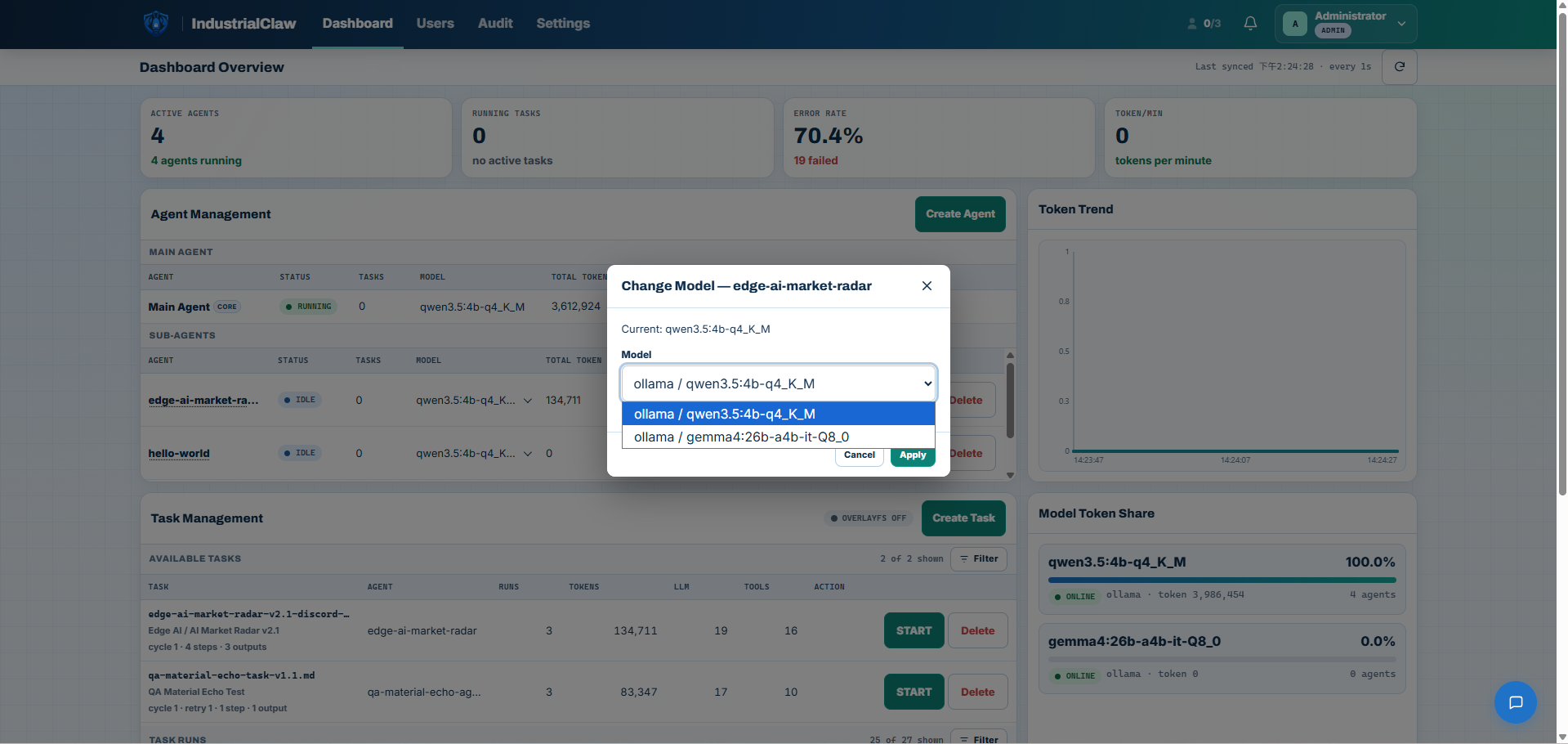
Each Agent can use a different model. Set it in Agent Management → Model. Changes apply to the next Task or Session; a running Session does not switch models midway.
View: Changing an Agent's model
How Agents hand off work
Sub-agents do not call one another or automatically start the next Task. Each Task belongs to one Agent. Users run Tasks in sequence and pass their results as files:
- Select START in the Dashboard to run the first Agent's Task.
- Confirm it succeeded and download the result from the Task Run's Outputs.
- Package the files needed by the next Task as a ZIP. When creating that Task, upload the ZIP under Material ZIP and select the next Agent.
- Confirm the next Task's commands read the input files under
materials/, then select START.
For example, an analysis Agent produces defect-analysis.md. A user downloads and packages it, then supplies it to an SOP lookup Agent. This is a user-operated handoff; the workflow diagram below follows the same approach.
Each execution has its own Log, Session, and Audit records so you can review results and failures by role. Creating a Task requires an Administrator. An Administrator or a User assigned to the Agent can select START.
Execution limits
| Item | Limit |
|---|---|
| Sub-agents per device | Up to 10, excluding the Main Agent |
| Agents running Tasks at once | Up to 5; a Task for a sixth Agent is rejected, not queued |
| Tasks per Agent at once | 1; a busy Agent does not accept another Task |
When to split work across Agents
Consider splitting when steps have substantially different objectives, data sources, Skills, domain knowledge, output formats, or permission needs. Clear responsibilities and outputs make each role easier to test, review, and maintain.
The following example covers review of an AOI (automated optical inspection) anomaly. These are example roles, not built-in Agents:
| Role | Responsibility | Example Skills |
|---|---|---|
| Evidence Analyst | Analyse inspection results and supporting evidence | AOI result lookup, image handling, defect history |
| Procedure Specialist | Find the applicable SOP or troubleshooting guide | Document search, knowledge base |
| Planner | Prepare recommended next steps | Context assembly, analysis results |
| Coordinator | Assemble the final result for review | Report writing |
AOI detects an abnormal result
        ↓
Evidence Analyst → defect-analysis.md
        ↓ User downloads results and uploads the next Task's Material ZIP
Procedure Specialist → sop-match.md
        ↓ User passes the required files and starts the next Task
Planner → recommended-steps.md
        ↓ User passes the required files and starts the next Task
Coordinator → review-packet.md
        ↓
Quality engineer reviews and decides
Design principles
Single responsibility
Each Sub-agent performs one clearly defined job. An Evidence Analyst analyses evidence; it does not also approve, notify, and change equipment parameters. Narrow responsibilities are what make an Agent testable.
Minimum Skills
Give a Sub-agent only the Skills its job needs. Every Skill is listed in that Agent's TOOLS.md, and a Task can call only the Skills installed for its own Agent—so the package is the permission boundary. An Agent that finds SOPs has no reason to carry equipment-control Skills.
Explicit inputs and outputs
Pass structured files between roles rather than large amounts of conversational context:
Defect type
Possible cause
Evidence
Confidence
Recommended next step
Declare each file under Expected Outputs so the platform verifies it exists before the Task can complete.
Predictable failure handling
A Step declares what happens when it fails. Use retry for transient failures and on failure: stop where continuing would produce a misleading result. Report failure through exit codes—never print a success message without writing the required files, because the platform checks the files, not the message.
Coordinate, don't centralise
A coordinating Agent assembles results and handles gaps. It should stay a coordinator rather than accumulating every Skill and permission on the device.
Shared collaboration rules
- Use each Agent's own Skills and workspace. Hand off files through input uploads. Do not execute under another Agent's identity or directly access its files or private platform paths.
- Keep human approval and security controls. Prompts must not request policy overrides, hidden behaviour, or bypassing approval.
- Keep secrets out of results and records. Passwords, tokens, and private keys must not appear in stdout, Logs, Sessions, or Outputs.
See Build Your First Agent for package format and Task commands.
Common pitfalls
- Giving every Agent the same broad Skill set, losing the role boundaries.
- Loading one Agent with unrelated jobs.
- Leaving handoff file formats, required fields, and failure handling undefined.
- Giving the coordinator every Skill and permission.
- Chaining the full workflow before validating each Agent on its own.
Related documentation
- Agents: Import, Update, Delete: manage Agents on the device.
- Tasks: Create and Run: upload inputs, start Tasks, and stop them.
- Build Your First Agent: create, package, and verify your own Agent.
- Roles and Limits: account permissions and device limits.